
Download TiaraCAD 2
Please ensure you have received the key in your email for activating TiaraCAD.
Update Rhino to its latest version before downloading TiaraCAD.
(Current version of TiaraCAD requires Latest Rhino Service Release)
For Windows OS
2.1.4 | 25 November | Download Size: 776MB | After Installation: 1.82 GB
For Mac OS
2.1.3 | 10 November 2025 | Download Size: 704 MB | After Installation: 1.85 GB
Steps To Install TiaraCAD
For Installation & Activation
- If Rhino 8 is installed, just add TiaraCAD license Key to your Rhino Cloud Account.
Alternatively,
- Install Rhino 8 if unavailable.
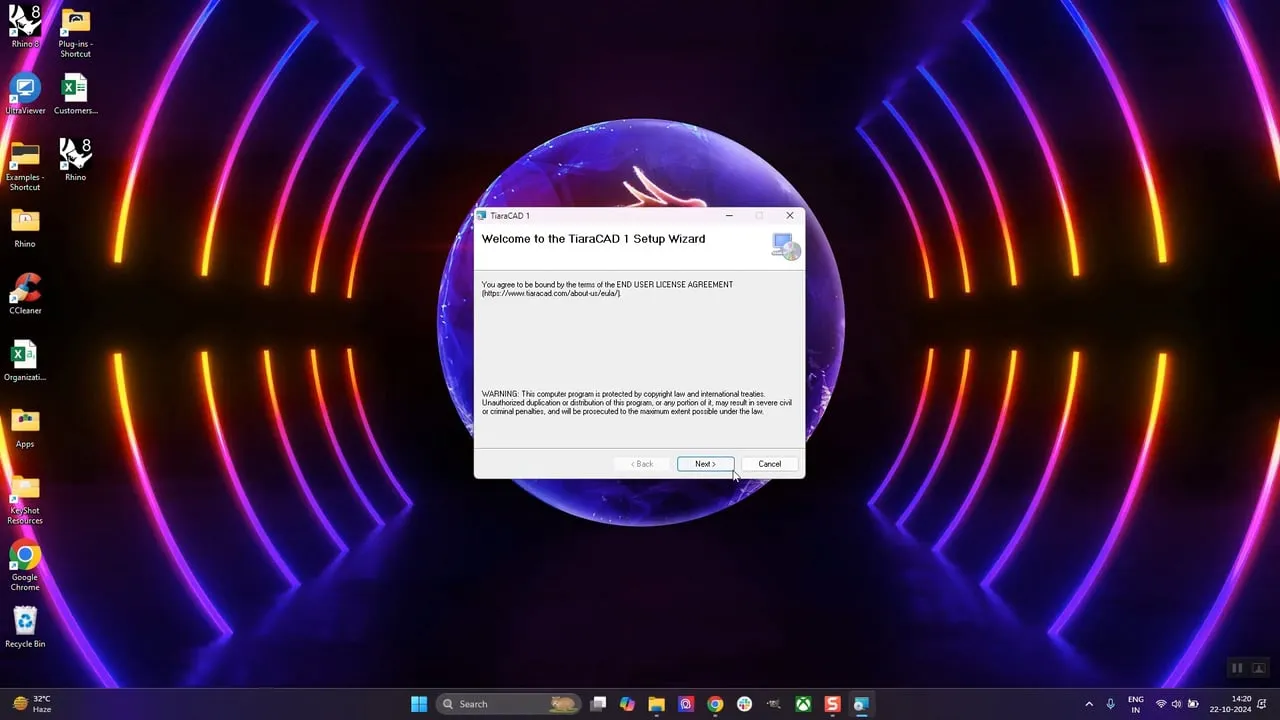
- Install TiaraCAD from the downloaded link.
- Double click the icon of TiaraCAD from desktop.
- You may also right click on the icon and Pin to Taskbar.
- Rhino opens normally – Use command ActivateTiaraCAD
- Type your email id as given to us.
- Confirm the email id
- Type the License key provided to you
- Restart TiaraCAD
For the First Time
For the first time –
- Go to the Menu – Window – Window Layout – Manage Window Layouts
- Import Window Layout TiaraCAD.rhw from Mac HD \ Library \ Application Support \TiaraCAD \ 2.0 \ UI\TiaraCAD_2.0.rhw
- Go to Window – Window Layout – Manage Window Layouts and click on TiaraCAD
The Toolbox should be available for your perusal
For Windows OS
For Mac OS
System Requirements
For Windows OS
Hardware
- 64-bit Intel or AMD processor (Not ARM)
- At least 8 GB (RAM) memory is recommended
- 5 GB disk space
- OpenGL 4.1 capable video card is recommended
- At least 4 GB Video card memory is recommended
- A multi-button mouse with a scroll wheel is recommended
- Apple Intel hardware with Boot Camp
(Boot Camp is not supported on Apple Silicon Macs.)
Windows Operating Systems
- Windows 11
- Windows 10
For Mac OS
Hardware
- Apple Mac with Intel or Apple processor
- At least 8 GB memory (RAM) is recommended
- 10 GB disk space
- A multi-button mouse with a scroll wheel is recommended. (Magic Mouse not recommended for use with Rhino.)
- SpaceNavigator and SpaceMouse Wireless optional
MacOS Operating Systems
- macOS 15 (Sequoia)
- macOS 14 (Sonoma)
- macOS 13 (Ventura)
- macOS 12.4 (Monterey)
Internet connection for
- Download
- Initial License validation
- TiaraCAD account for:
- Technical support on the forum
- Cloud Zoo license management